
Hikvision enhances unified smart switch and security device management with Hik-Partner Pro mobile app
Product Profile



Hikvision has announced significant enhancements to its Hik-Partner Pro (HPP) app. This will improve the mobile experience with seamless installation and control of smart managed switches and security devices from a single, unified system.
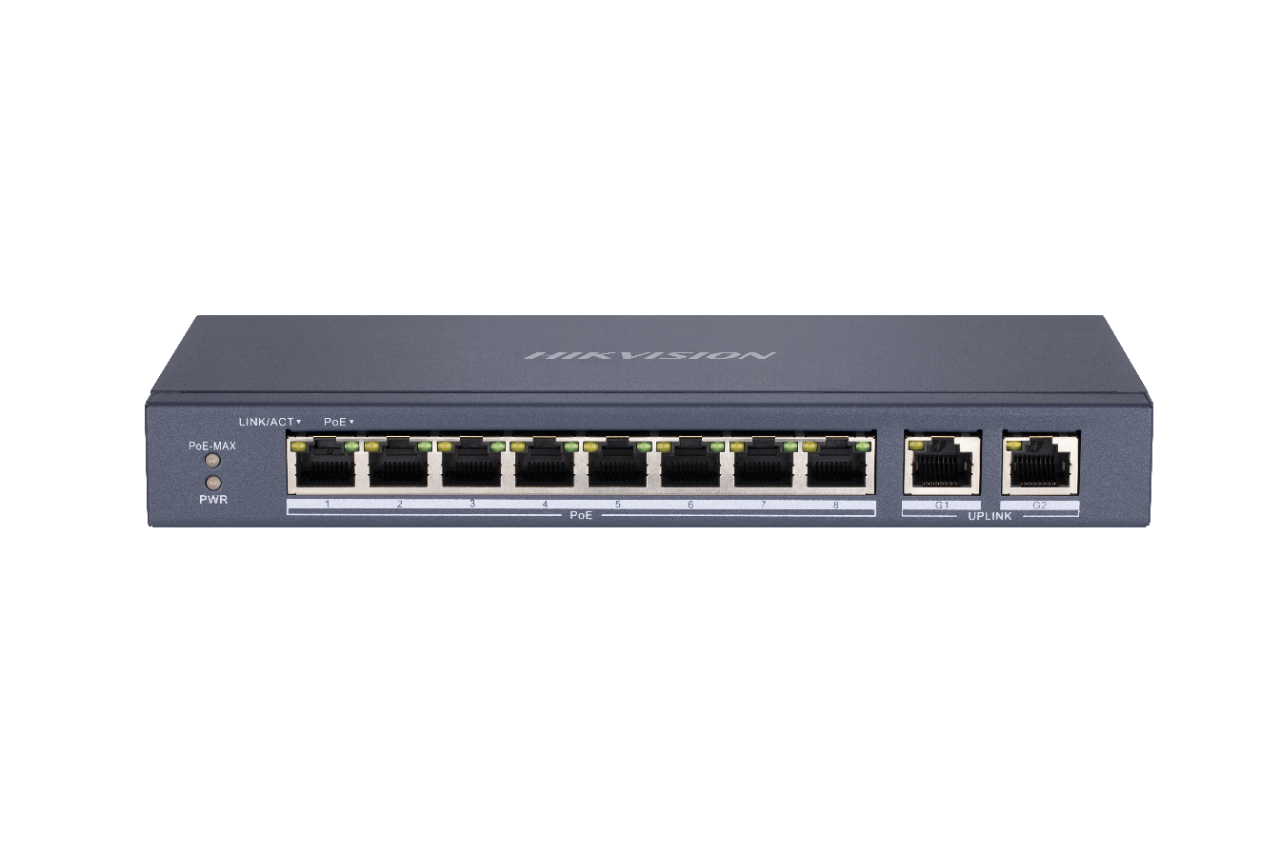
This year, Hikvision introduced its Smart Managed Switches, which integrate effortlessly with the HPP app. This provides installers with a user-friendly solution for managing various devices through one comprehensive system, allowing for fast delivery and easy remote device operations and maintenance.
Randy Qian, Product Director at Hikvision, says, “At Hikvision, we strive for your operational convenience. Our enhanced HPP app offers an optimized visual representation and interaction of network topologies, ensuring that device connections and network status are easily accessible. This makes it far easier for installers to manage security systems remotely.”
Mobile convenience based on a one-stop solution
The enhancements to the HPP app significantly increase convenience for installers by providing a single environment for managing switches and security devices remotely. The one-stop solution provides three key benefits:
- Simplified setup
With the app, installers can set up the system via their smartphone. This eliminates the need for extra equipment, such as computers or monitors. - Topology at a glance
Installers can view the entire network topology on their mobile device, giving them immediate system insights, allowing them to identify and fix malfunctions faster. - Effortless maintenance
Installers can use the system’s remote maintenance capabilities to carry out troubleshooting tasks directly on their phones, with no need for expensive, time-consuming site visits.
Tools for optimizing the network topology
In the latest iteration of HPP, the network topology feature has been greatly improved. One of the key upgrades is an easy-to-navigate interface for faster and more accurate visualization of the network structure.
To enhance topology visualization, the new version of HPP provides a range of features that enhance system visibility. The features, which include “aggregation”, “zoom”, “landscape view”, and “stacking”, provide in-depth details of the system topology, device status and other notifications. All of this gives users immediate insights into network health, bandwidth usage, power usage, and device details.
Real-time video from integrated IP cameras can also be viewed directly in the app, enabling better situational analysis and more efficient equipment management. The ability to zoom in and out of screenshots further extends the benefits for end users.
With these enhancements, status insights are just a tap away, fault diagnosis is streamlined and users can troubleshoot the entire system remotely, like a port reboot to swiftly address problems and to minimize downtime and disruptions.
Networking and security in one
Managing video and networking devices across various platforms can be complex, but the smart managed switch simplifies the process. Seamless integration with the HPP app ensures a streamlined management experience and a quick visit to the switch site gives users a comprehensive view of device interconnections and switch port status across the entire topology.
With enhanced visibility of the entire environment, unforeseen slowdowns become manageable events. At the same time, the system’s real-time monitoring and instant alerts eliminate the need for cross-system checks, enabling more efficient and proactive maintenance.
Hikvision strives for deep integration between video and switches and plans to expand this integration to other network devices in the near future. This strategy will ensure that installers continue to enjoy streamlined, efficient, and secure networking management solutions.
Technical Specification
| Make | Hikvision |
|---|---|
| Manufacturer | Hikvision |
| Category | CCTV>CCTV Switchers & Switches |
| Model code | DS-3E1106P-EI |
| Switcher Type | IP |
| POE | Yes |
| Video inputs / ports | 4 channels |
| Physical Specifications |
Dimensions mm: 121.1 x 27.6 x 83.1 Weight g: 770 |
| Electrical Specifications |
Voltage: 54 V DC Power Consumption: 65 W |
| Environmental Specifications |
Operating Temperature oC: 0 ~ 40 C (32 ~ 104 F) Operating Humidity %: 5 ~ 95 |
| Additional info |
|
More Hikvision CCTV Switchers & Switches




You might be interested in these products

- See other Hikvision products
- Hikvision IP cameras
- Hikvision IP Dome cameras
- Hikvision Dome cameras
- Hikvision CCTV cameras
- Hikvision Digital video recorders (DVRs)
Hikvision white papers







Hikvision case studies

In order to turn its auditorium into a multi-purpose venue, and to improve the general visual experience, Dubai's GEMS Modern Academy replaced their legacy projection system with a massive LED wall from Hikvision. The renovated auditorium has become a popular venue for students, staff, and the community. Challenge: Turning the school auditorium into a multi-purpose performance venue. With the numerous approaches to the entertainment available, and with audiences' surging demand for rich, high-q...

With millions in inventory, car dealerships can’t take any risks with their security, but manual security patrols significantly increase operating costs. To address this challenge, Hungarian car dealership, CarNet FOR-TOP Ltd. has implemented an innovative, AI-powered perimeter protection solution from Hikvision. This supports far more efficient remote security monitoring, while also automating car-rental processes for further cost savings – all adding up to 100% ROI in under eight...

In the midst of a rise in building material thefts, construction company DECHO used Hikvision's solar-powered wireless cameras to guard the construction site for its much-anticipated Coast Garden project. Safeguarding valuable materials Building material shortages and rising prices fuelled a rise in construction site thefts in New Zealand, which has prompted worries among builders, project managers, and contractors. The DECHO Group is one of Auckland’s most innovative and respected land...


Headquarters:
Hikvision Digital Technology Co., Ltd.
No.555, Qianmo Road, Binjiang District
Hangzhou 310052
China
+86 571 8807 5998
+86 571 8993 5635
[email protected]
[email protected]
www.hikvision.com
Hikvision USA
+1 909 895 0400
Toll free: +1 866 200 6690
(U.S. only)
[email protected]
Hikvision Europe
+31 23 5542770
[email protected]
Hikvision Middle East
+971-4-8848766
[email protected]
Hikvision India
+91-22-28469900
[email protected]
Hikvision Russia
+7-812 313 19 63
[email protected]
Hikvision Africa
+27 (10) -35 1172
[email protected]
[email protected]
Hikvision Canada
+1 866 200 6690 (toll free)
+1 909 595 2788
[email protected]
[email protected]
Hikvision France +33 (0) 1 85 330 450
 +33 (0) 1 85 330 443
 [email protected] [email protected]
Hikvision Hong Kong 852 2151 1761 [email protected] [email protected]
Hikvision Italy
+39 0438 6902
[email protected]
Hikvision Korea
+82 (0) 31 731 8817
[email protected]
Hikvision Latin America
[email protected]
[email protected]


