Vanderbilt Security software

ComNet adds Monitor software platform to growing portfolio

Razberi Monitor is a software platform that provides a top-down view of the physical security network and ecosystem without IT resources. Purpose-built for security professionals, it monitors and manages all the system components for cybersecurity and system health and can be deployed from the cloud or on-premise. It provides secure visibility into the availability, performance, and cyber posture of servers, storage, cameras, and other networked security devices. It also predicts and prevents problems while providing a centralized location for IT departments to view video data. What is Monitor’s key USP? A vital benefit of Monitor is that it protects against the multiple commonly cited cyberattack vulnerabilities. These include weak passwords, the failure to update software or firmware, the lack of best practices for routine maintenance, and not aligning with network IT policy. The benefit of having Monitor ensures shorter response times to cybersecurity events along with real-time alerts and logs to proactively notify users of active threats. It can detect cyber posture and problems with servers, cameras, and other IoT devices in real-time. You can track security devices by location and get deep visibility into configurations, operating systems, and firmware status. This means that without IT resources, you can still know what devices need updates and patches. Why choose Monitor? Monitor can be offered to enterprises as a managed service with a monthly subscription. This means no significant upfront costs and the ability to free up cash flow. The Monitor software will optimize and secures networks, reducing costs, time, and manpower required to install and manage an enterprise network. Users can create custom views and alerts by location, device, and problem type. They can use these reports to demonstrate system performance and compliance, share access to these reports with their service provider for proactive support, and reduce service calls. Monitor in Action Monitor enables proactive maintenance by offering problem resolutions before they become more significant issues.  It does this by ensuring that the system is working as expected through continuous checks on the system’s health and cybersecurity and prevents service outages with early warning indicators. Identifying issues before they fail and become an outage is key to system availability and, moreover, is a considerable OPEX cost saving. For example, if there is an incident in a supermarket and a client wanted to review their cameras, only to realize that they had stopped recording some weeks before. With Monitor, if the client’s cameras are failing or are in any way beginning to compromise, this would be immediately detected by Monitor and flagged in advance of it failing. Thus, when an incident does occur that requires video verification, clients can be assured that the video data will be available to review the incident.
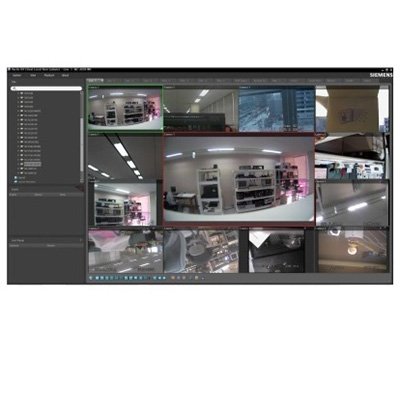
Network video recording with Siemens SISTORE MX NVS - intuitive software, complete functionality

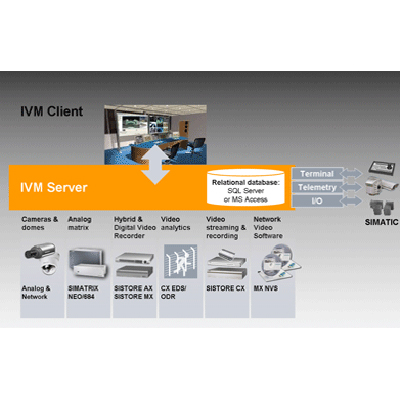
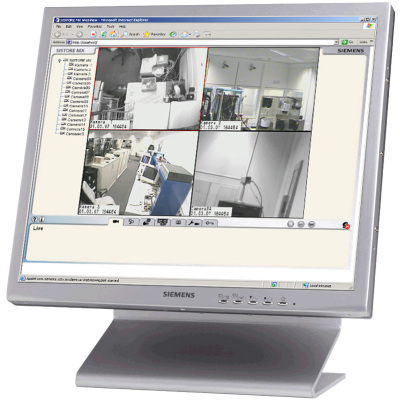
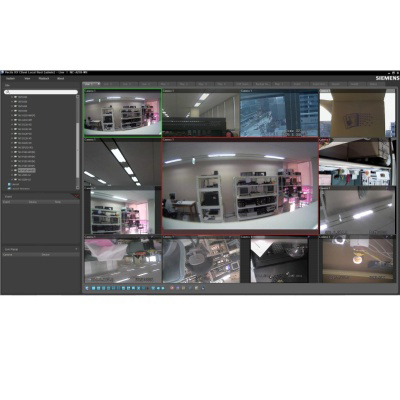
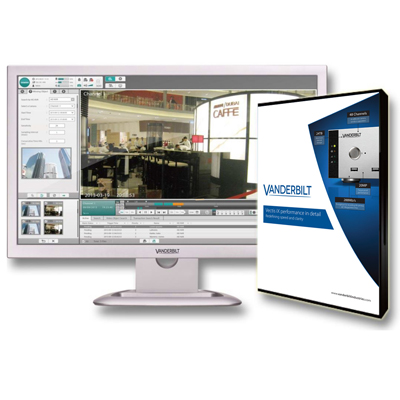
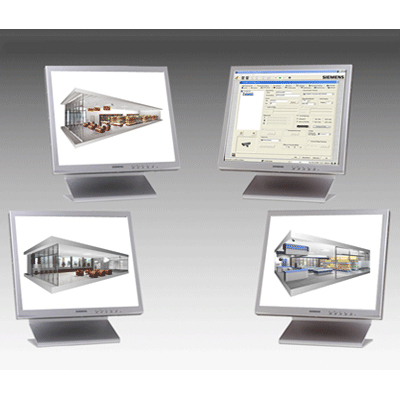
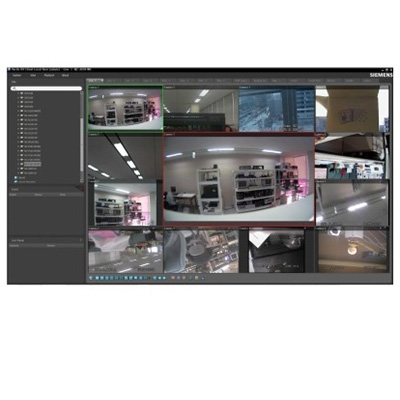
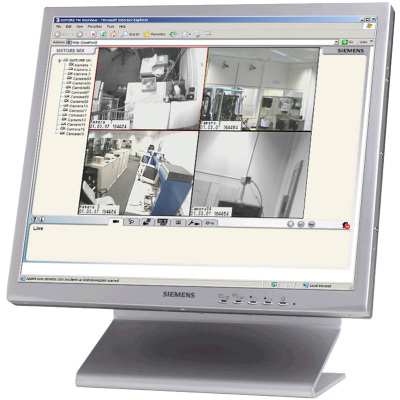
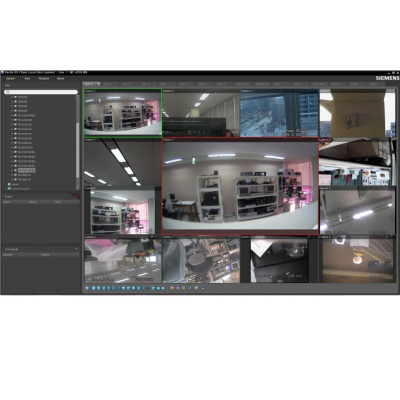
Siemens SISTORE MX NVS is a software package for network recording, allowing the operator to view live images, as well as to support recording, playback and remote access for up to 64 network cameras per installed server. Highlights:Open IP Software for recording and visualization of up to 64 network cameras per serverScalable system architecture from small stand-alone systems to large systemsSupports IP cameras from Siemens and leading manufacturers, including mega-pixel resolutionsIntegrated motion detection and sabotage alarm functionIntegration of new megapixel IP camerasLive audio and audio recording from Siemens and Axis network camerasMulti-monitor support for client and serverImproved user managementMulti-server search from RemoteView client, for applications in logistics for exampleZoom functionality within live imagesSupport of megapixel recording With the continued market growth in the use of IP cameras, SISTORE MX NVS allows integration of the new range of new Siemens network cameras. By supporting audio (both live and recording) from Siemens and Axis network cameras, additional, potentially very important information, can be supplied to resolve incidents. Megapixel recordings contain more information, which can be particularly useful when using the integrated digital zoom feature.  Improved user managementSISTORE MX NVS works with a uniquely designed user administration system. By assigning different user rights to reflect specific duties and seniority, each operator can be given access to certain functions, and, importantly, declined access to others. When logging into the RemoteView client, no separate registration on the server is required.Flexible configurationTo enable customers to best view their sites, support for up to four monitors, with flexible configuration, is now fully supported. Approved for financial applicationsSISTORE MX NVS is employed in a wide range of applications including retail, traffic, transportation and banking.  For financial institutions, SISTORE MX NVS meets the exacting standards of the German Accident and Prevention Regulations for Banks (UVV-Kassen). 

ACT continue to develop & improve the ACTWin pro access control software

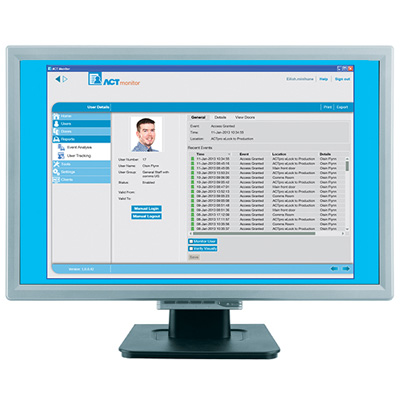
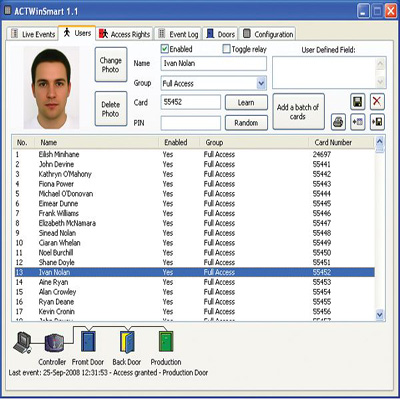
ACTWin pro is the licensed version of the sophisticated PC application for use with the ACTpro door controllers.  With an attractive and easy to use graphical interface this software simplifies database management and the day-to-day administration of users and the access control system in general; the management is also aided by live reporting of the systems in an attractive and intuitive system tree configuration which mirrors the site. The ACTWin pro software currently manages and supports over 2,000 doors and 30,000 users.  The ACTWin software also supports up to 1,024 user groups which is a very efficient method for managing users, where each user is assigned to an individual user-group.  A number of reports are available as standard including muster, event analysis, user tracking and time and attendance reporting.  The muster report automatically generates and prints a list of all people in the building to preset printers on fire alarm activation.       The software is also capable of managing offices located in different geographical areas through the use of TCP / IP.  Controllers located in different time zones will report events to the software in their own local time.  The multi-tenant module enables large installations to be partitioned into smaller more manageable sub sites, where a local administrator or tenant only sees the locale doors, controllers and events and the regional manager may view several sites. It's possible to manage up 200 multi tenant sites.Each new release of ACTWin pro, currently at 2.6, introduces new features into the software to enhance functionality.  Some of the most recent additions have been DVR Integration, ACT Notifier and a browser based interface ACT Web. DVR Integration Video footage from a Digital Video Recorder may now be linked to events in the ACTWin pro database. When any event occurs at a door, the associated video may be retrieved from the DVR, showing what happened leading up to the event, directly from ACTWin pro. (2.5 and onwards)  ACT Notifier The ACTWin pro software can now send notification, via e-mail or SMS, to any number of authorised users on the occurrence of any event. The Security Guard could receive a text when a door is opened outside of office hours and the Finance Manager could receive an e-mail each time the cash room is accessed. It is also possible to track the movements of an individual, in real time, thorough e-mails or SMS messages. (ACTWin pro 2.6)  ACT Web browser based interface ACTWeb is a web-based interface that allows you to manage the basic functions of the access control system, including user lists, reports and enrolling users.  It provides you with 24-hour access to your access control software from internet Explorer.  ACTWeb has been developed for use in combination with the ACTWin pro PC application (2.5 or later).Input / Output Module - area fullThe ACTWin software now allows for an output to be fired on the Input / Output Module when an area is full (the system allows for up to 8 different areas). A typical use of this feature would be a car park with a "Full" sign being activated when all spaces are occupied. (ACTWin pro 2.6)ACTWin pro is a Client / Server version of the ACTWin software for multiple users.  The Lite version is available for single users and it does not carry all the features of ACTWin pro.