Vanderbilt CCDA1425-ST Dome camera
Technical Specification
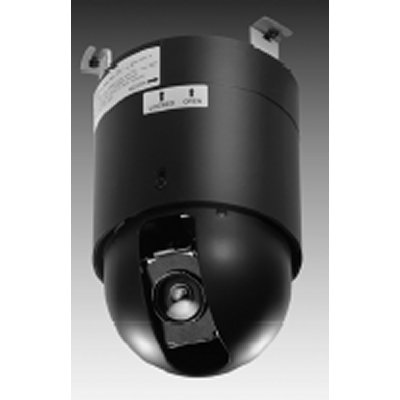

- Make: Vanderbilt
- Model code: CCDA1425-ST
- Series: CCDA Series
- Chip Inch Size: 1/4 inch
- Colour Type: Colour
The Siemens CCDA1425-ST high-speed dome camera will perform well in standard colour camera applications with a sufficient level of illumination and will provide crisp high resolution images. The camera includes market relevant features and is very simple to operate thanks to macro / preset commands that quickly access the dome configuration menus. Setting-up a camera from a remote keyboard has never been easier. A wide range of accessories are available and will meet most installation requirements.
Read more| Make | Vanderbilt |
|---|---|
| Manufacturer | Vanderbilt Industries |
| Category | CCTV>Dome cameras |
| Model code | CCDA1425-ST |
| Chip Inch Size | 1/4 inch |
| Colour Type | Colour |
| Resolution TVL | 480 |
| Sensitivity lux | 1.0 lux |
| Dome Type | Continuous Rotation |
| Pan Speed o/ sec | 0 ~ 300 o/ sec pan speed |
| Indoor/Outdoor | Indoor/Outdoor |
| Tilt Speed o/ sec | 0 ~ 200 o/ sec tilt speed |
| Mount Type | Ceiling, Wall mount |
| Electrical Specifications |
Voltage: 24 VAC Power Consumption: 20 VA |
| Focal length | 4.1 ~ 73.8 |
| Rotation Angleso | 360 pan, 92 tilt |
| Presets | 64 |
| Back Light Compensation | Yes |
| Auto Gain Control | Yes |
| White Balance | Yes |
| Electronic Shutter range | 1/50 ~ 1/10,000 |
| S/ N (Signal/ Noise) Ratio dB | > 50 |
| Synchronisation | Internal / Line-lock |
| Signal Mode | PAL / NTSC |
| Zoom Ratio | 18x |
| Network Properties |
Interface: RS485 Network Protocols: Siemens, Pelco-D/P, VCL, Kalatel, Vicon, Ernitec |
| Physical Specifications |
Dimensions mm: 134 (Dia) x 219.9 Weight g: 1.75 kg |
| Environmental Specifications | Operating Temp oC: 0 ~ 50 |
| Additional info | The Siemens CCDA1425-ST high-speed dome camera will perform well in standard colour camera applications with a sufficient level of illumination and will provide crisp high resolution images. The camera includes market relevant features and is very simple to operate thanks to macro / preset commands that quickly access the dome configuration menus. Setting-up a camera from a remote keyboard has never been easier. A wide range of accessories are available and will meet most installation requirements. |
Compare Vanderbilt CCDA1425-ST with Dome cameras from other manufacturers




Related Whitepapers

10 top insights in access, cloud and more

Schooling the market on education security

14 success stories about how video technology is improving city life

Technology's role in securing banks and financial institutions
Download
Security technologies promote real-time awareness in K-12 schools
Download
Integrated systems enable critical and compliant security for transportation
Download
Modernising physical access control
Download
Access. Intrusion. One estate.
Download